
GPS Check-in and Employee Location Tracking for Field Teams
Medical representatives, sales officers and field engineers rarely start the day at the office. For them a fingerprint machine is no use, and a phone call to say 'I've reached the client' is hard to verify. TeamUp's Android app and tracking map give HR a clear record of where and when field staff started and finished work.
Check in with GPS and a map confirmation
•
The employee taps Check In on the app's home screen.
•
The app reads their GPS position and turns it into a readable address, such as the area and city.
•
A map opens with a pin at their position, so they see exactly what will be recorded before they confirm.
•
The punch is saved with the date, time and coordinates. If the phone can't find a location, the app asks them to try again instead of saving a punch without one.
•
Check-out works the same way at the end of the day.
Location updates while on duty
Once an employee has checked in, the app sends their location every 10 minutes while the app is open, and stops as soon as they check out or sign out. Nothing is recorded outside working hours.
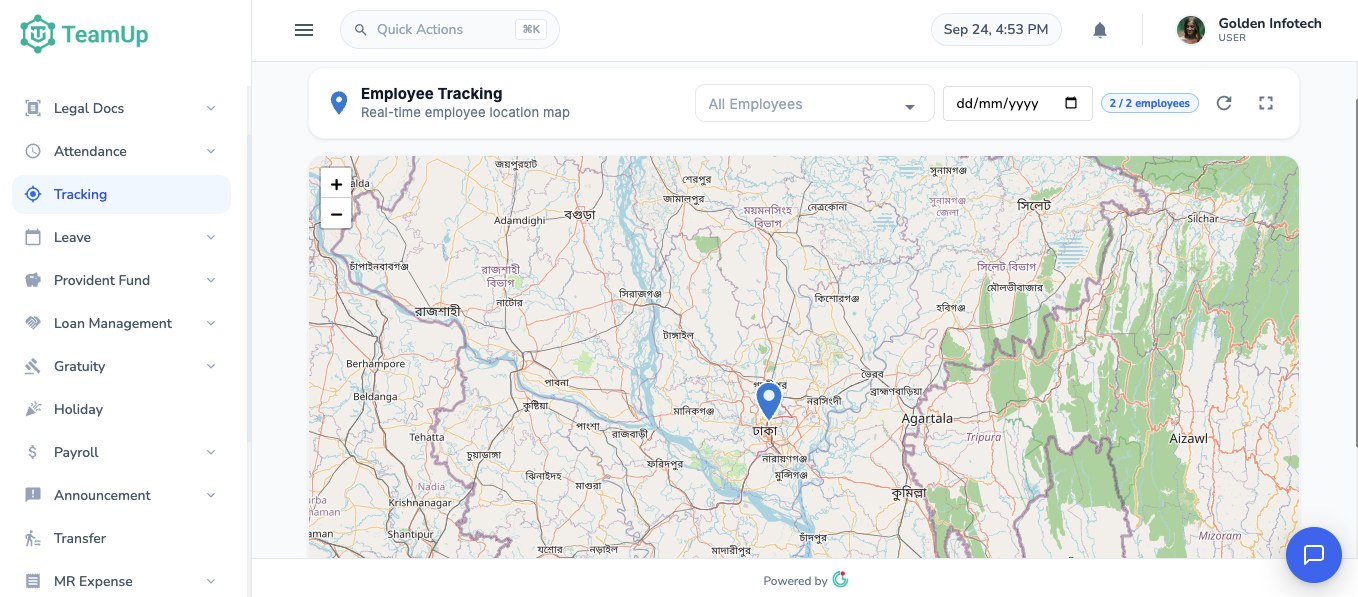
What HR sees: the Employee Tracking map
In the web app, Tracking opens a map with a pin for each employee's recorded location. HR can:
•
Filter by employee to follow one person's day.
•
Pick a date to review a past day.
•
See how many employees have location data for the selected day.
•
Click a pin to see the time and address.
•
Open the map full screen for a morning review of the whole field team.
The same locations appear on each employee's daily attendance report next to their punches, so a check-in time and the place it was made are always side by side. The admin dashboard also shows how many staff checked in from the mobile app and how many from the office.
Where it helps most
•
Pharmaceutical companies checking that medical reps started their route on time.
•
FMCG and distribution teams with sales officers visiting shops and dealers.
•
Service and installation teams working at client sites.
•
Companies with staff who move between several branches.
Field staff can also file market expense claims with receipts from the app, which go to their line manager and then HR for approval.
Rolling it out fairly
•
Tell staff what is recorded and when: at check-in, at check-out and every 10 minutes in between while they are on duty.
•
Ask staff to keep the app open during field hours so updates keep coming.
•
Agree with managers how location records will be used, for example to confirm visits and settle attendance disputes.
•
Review the map in weekly field meetings rather than watching people minute by minute.
Want to see the tracking map with your own field team? Book a free demo and we'll set it up with you.